CI/CD - Static Site Hosted on S3
Introduction
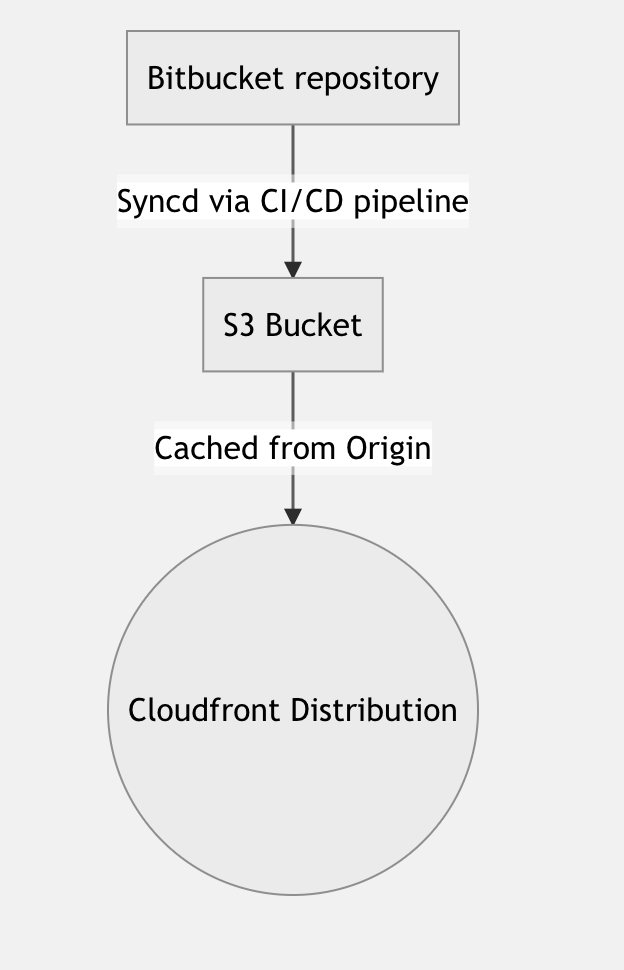
This CICD Pipeline is designed to sync the master branch in a bitbucket repository to a web-enabled S3 bucket which is fronted by Cloudfront distribution.
Prerequistes
- Static Site hosted on S3
- CloudFront configured to serve website
- IAM user with Access Keys
Steps
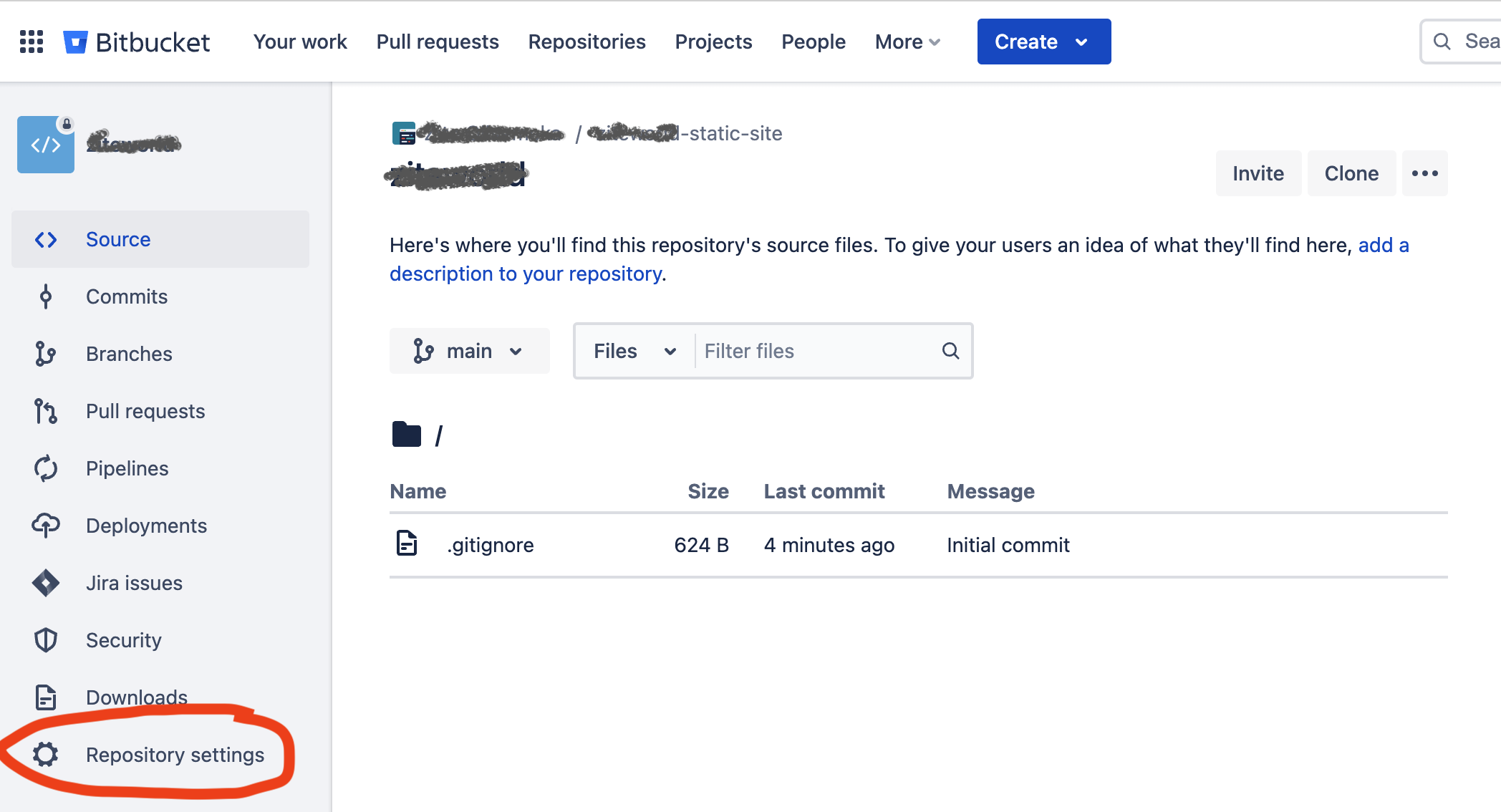
- Create bitbucket repository.
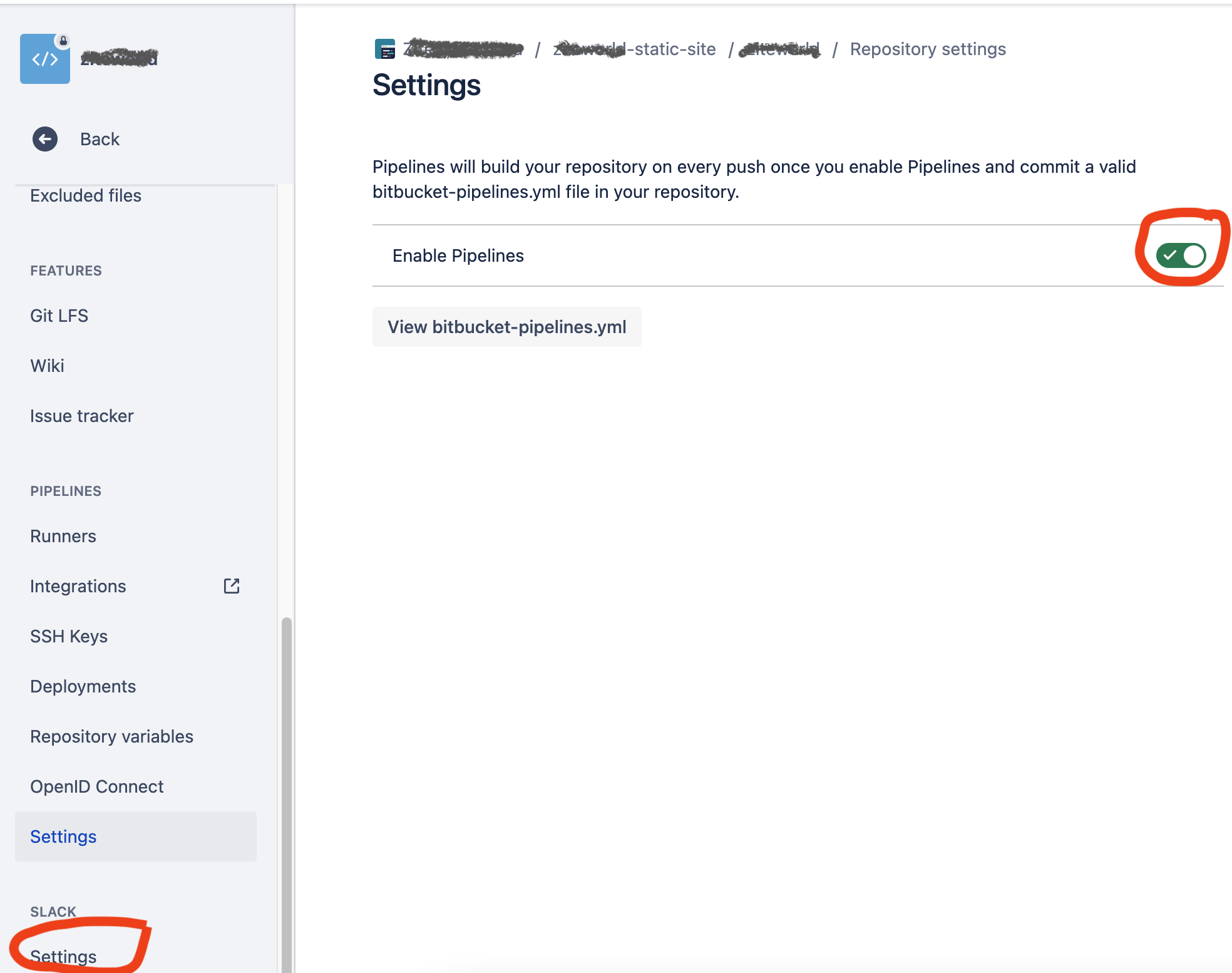
- Enable pipeline via repository setting and toggle pipline button.
- Click Configure bitbucket-pipeline.yml and apply the following code in starter pipeline option (Make sure to apply your bucketname and region).
1
2
3
4
5
6
7
8
9
10
11
12
13
14
15
16
17
18
19
20
21
22
23
24
25
26
27
28
29
30
 image: atlassian/default-image:2

 pipelines:
   branches:
     development:
       - step:
           name: Deploy to Development
           deployment: Development
           script:
             - pipe: atlassian/aws-s3-deploy:0.3.7
               variables:
                 AWS_ACCESS_KEY_ID: $AWS_ACCESS_KEY_ID
                 AWS_SECRET_ACCESS_KEY: $AWS_SECRET_ACCESS_KEY
                 AWS_DEFAULT_REGION: <REGION>
                 S3_BUCKET: <BUCKET>
                 LOCAL_PATH: $BITBUCKET_CLONE_DIR
                 EXTRA_ARGS: --delete
     master:
       - step:
           name: Deploy to production
           deployment: production
           script:
             - pipe: atlassian/aws-s3-deploy:0.3.7
               variables:
                 AWS_ACCESS_KEY_ID: $AWS_ACCESS_KEY_ID
                 AWS_SECRET_ACCESS_KEY: $AWS_SECRET_ACCESS_KEY
                 AWS_DEFAULT_REGION: <REGION>
                 S3_BUCKET: <BUCKET>
                 LOCAL_PATH: $BITBUCKET_CLONE_DIR
                 EXTRA_ARGS: --delete
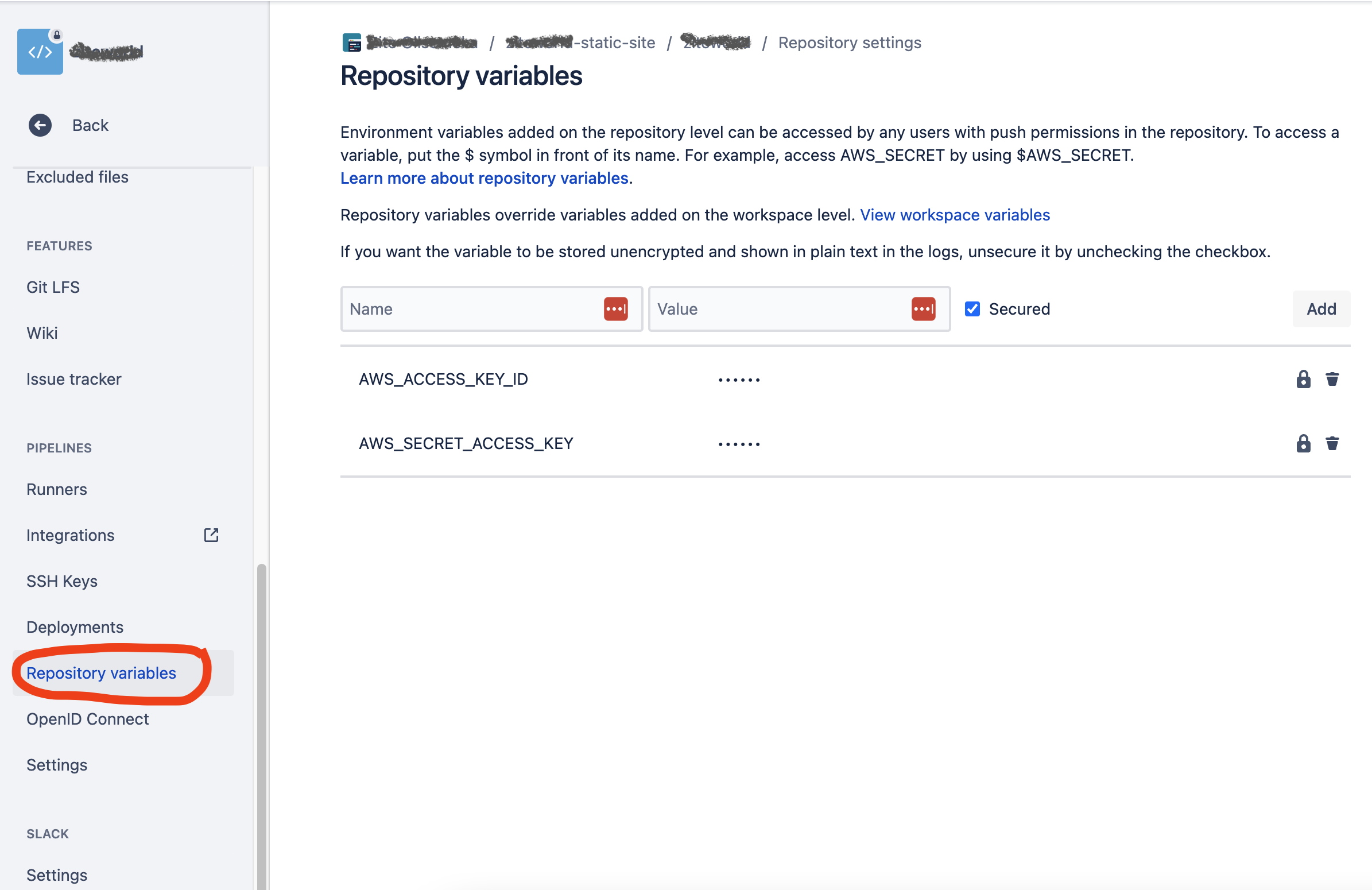
- Add $AWS_ACCESS_KEY_ID & $AWS_SECRET_ACCESS_KEY in Repository Variables.
- Deploy your site to repo via git i.e commit and push commands
- Trigger pipeline by creating a pull request. The pipeline should then deloy your code to the s3 bucket. Other Trigger Options
Sources
This post is licensed under
CC BY 4.0
by the author.