S3 Static Site Notes
Introduction
This document goes over the solution for AWS Cloudfront index.html subdirectory access denied issues.

Issue
When root object in Cloudfront Distribution is set to rewrite https://domain.com to https://domain.com/index.html. An issue might occur in which subdirectories referenced in the static site result in an access denied response.
Solution
The solution is to create a lambda function that’s deployed to the edge which performs the redirects.
- Create Lambda Execution Role with the following policy and trust relationship
1
2
3
4
5
6
7
8
9
10
11
12
13
14
15
16
17
18
19
20
  {
   "Version": "2012-10-17",
   "Statement": [
       {
           "Effect": "Allow",
           "Action": "logs:CreateLogGroup",
           "Resource": "arn:aws:logs:us-east-1:<ACCOUNT>:*"
       },
       {
           "Effect": "Allow",
           "Action": [
               "logs:CreateLogStream",
               "logs:PutLogEvents"
           ],
           "Resource": [
               "arn:aws:logs:us-east-1:<ACCOUNT>:log-group:/aws/lambda/<LAMBDA-FUNCTION>:*"
           ]
       }
   ]
  }
1
2
3
4
5
6
7
8
9
10
11
12
13
14
15
  {
 "Version": "2012-10-17",
 "Statement": [
     {
         "Effect": "Allow",
         "Principal": {
             "Service": [
                 "lambda.amazonaws.com",
                 "edgelambda.amazonaws.com"
             ]
         },
         "Action": "sts:AssumeRole"
     }
 ]
  }
- Create Lambda function with Node.js Runtime.
1
2
3
4
5
6
7
8
9
10
11
12
13
14
15
16
17
18
19
20
21
  'use strict';
  exports.handler = (event, context, callback) => {

   // Extract the request from the CloudFront event that is sent to Lambda@Edge
   var request = event.Records[0].cf.request;

   // Extract the URI from the request
   var olduri = request.uri;

   // Match any '/' that occurs at the end of a URI. Replace it with a default index
   var newuri = olduri.replace(/\/$/, '\/index.html');

   // Log the URI as received by CloudFront and the new URI to be used to fetch from origin
   console.log("Old URI: " + olduri);
   console.log("New URI: " + newuri);

   // Replace the received URI with the URI that includes the index page
   request.uri = newuri;

   return callback(null, request);
  };
- Create trigger as follows:
- Click Add trigger.
- Select Cloudfront and click Deploy to Lambda@Edge.
- Select your Cloudfront Distribution and accept other fields.
- Click Confirm deploy to Lambda@Edge.
- Click Deploy.
Conclusion
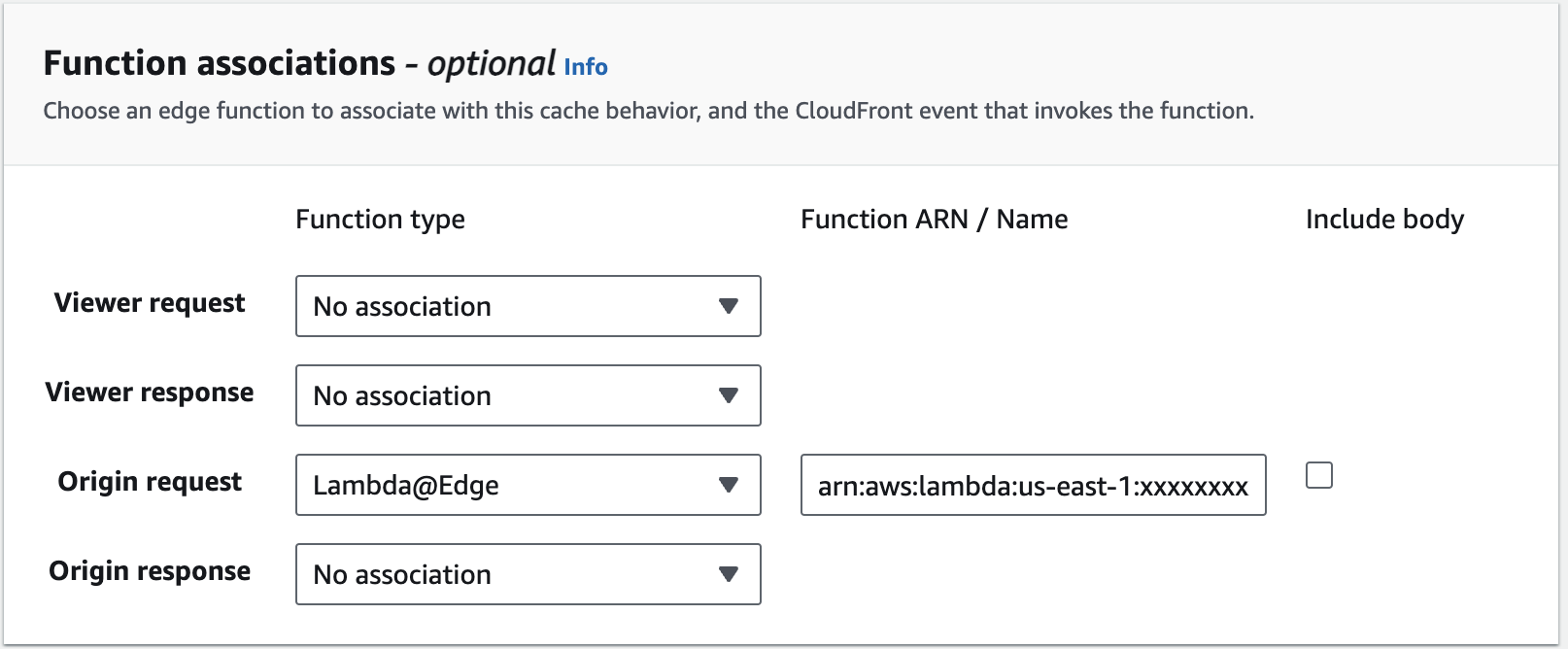
After deployment of the lambda function is complete. You can verify the assignment of the lambda function under the Function association in behaviorUnder tab of your Cloudfront distribution.
Sources
This post is licensed under
CC BY 4.0
by the author.